- Get out lights and set them up
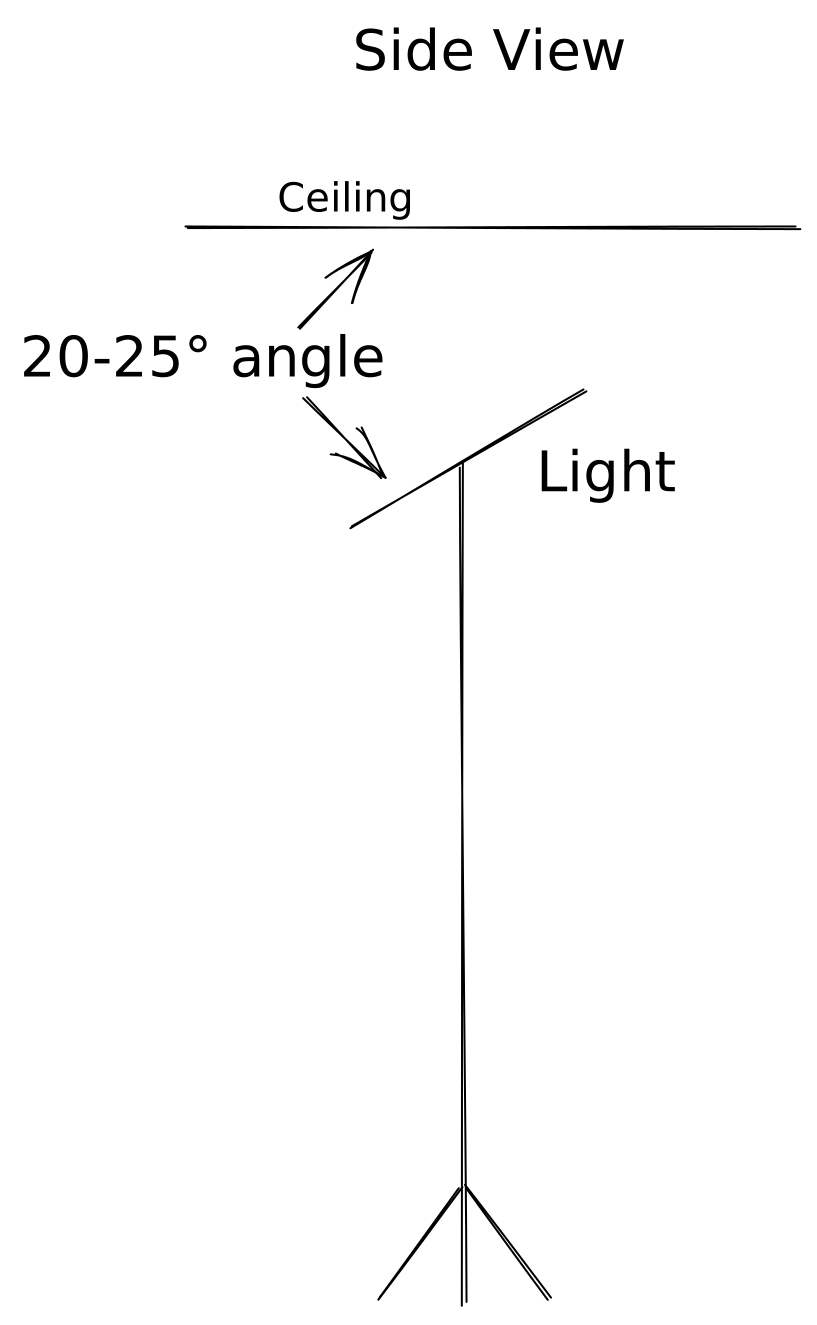
- The lights should be high enough to project strongly onto the ceiling but not so high as to make a shape of light on the ceiling
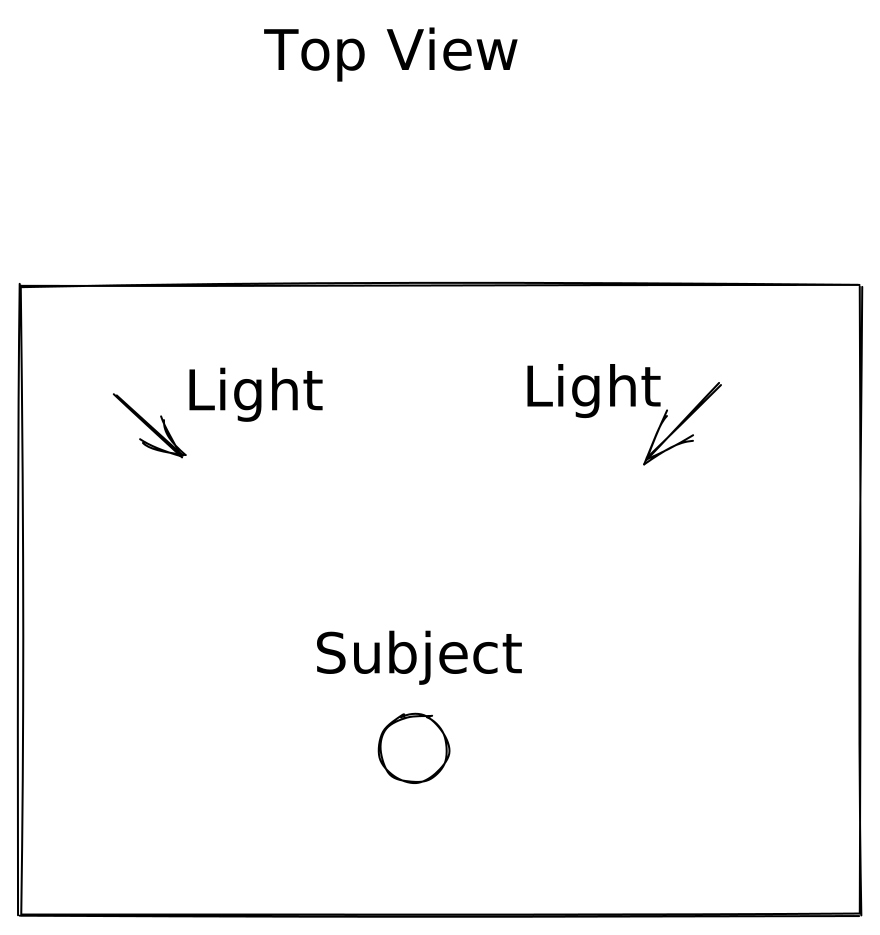
- The lights should be positioned to the front left and right of the subject
- The lights should be angled up toward the ceiling at about a 25° angle vertically and forward at about a 45° angle horizontally toward the subject
- Set up tripod
- Open tripod with legs fully extended
- Tighten the center
- Point the tripod with the camera adjustment handle pointing away from the subject
- Open tripod quick release and remove camera attachment
- Get out camera
- Screw on the tripod quick release adapter
- Mount the camera to the tripod
- Close quick release
- Set up big side table for microphone
- The microphone stand goes on top of the table to get the microphone above the frame of the video
- This allows the microphone to be close to the subject’s mouth without being visible
- Get out the green microphone stand template
- This goes on top of the big side table to show the correct placement of the microphone stand
- The single end on the template points toward the subject. This allows that leg to be aligned with the boom to support its weight.
- The table should be placed such that the microphone is above and slightly in front of the subject
- Get out the microphone stand
- Extend everything fully, including the legs
- Line up the legs with the template on the table
- Extend the boom over the subject at about a 75° angle from the vertical arm
- Twist the boom so that the tip of the microphone is pointed generally toward the subject’s mouth
- Get out cables
- Power cables from light carrying cases
- Connect to lights
- Plug into power
- Microphone extension cable
- Connect female end to microphone cable and male end to camera
- Camera power adapter
- Remove battery from camera
- Insert camera power adapter
- Plug into power
- Get out the white foamboard and the baffling boards
- Place the white board to reflect some light up onto subject’s chin
- Place baffling boards on any surface that might reflect sound into the microphone based on the microphone positioning and surrounding surfaces
- Remove lens cap
- Power on equipment
- Camera
- Microphone
- Studio lights
- Background accessories
- Test the microphone
- Set the microphone gain level on the camera to 9 in Settings > Camera 2 > Audio Rec Level
- Have one person watch the audio monitor on the camera’s screen
- Have the other person make a sound into the microphone – tapping the microphone is good
- Make sure the monitor jumps with the sound
- Connect the camera to the iPad app
- Turn off bluetooth on the iPad
- Open the Imaging Edge Mobile app
- Trying clicking “Start” next to the existing entry for the camera. This usually fails.
- Click “Connect with a new camera”
- From the “Network” menu on the camera, select “Ctrl w/ Smartphone”
- Scan the QR code displayed on the camera’s screen using the iPad’s camera
- Check the framing
- Make sure the scene and subject are framed correctly
- Make sure the microphone and boom are out of frame
- Have one person run their hands behind the microphone and boom while the other watches the viewfinder. This will make it easier to see if the microphone is in frame.