- Push project to GitHub or some other Git remote repository
- Create and make note of a secret key for your EdgeDB Cloud instance
- From Overview tab, click Add New > Project
- Import project’s repository
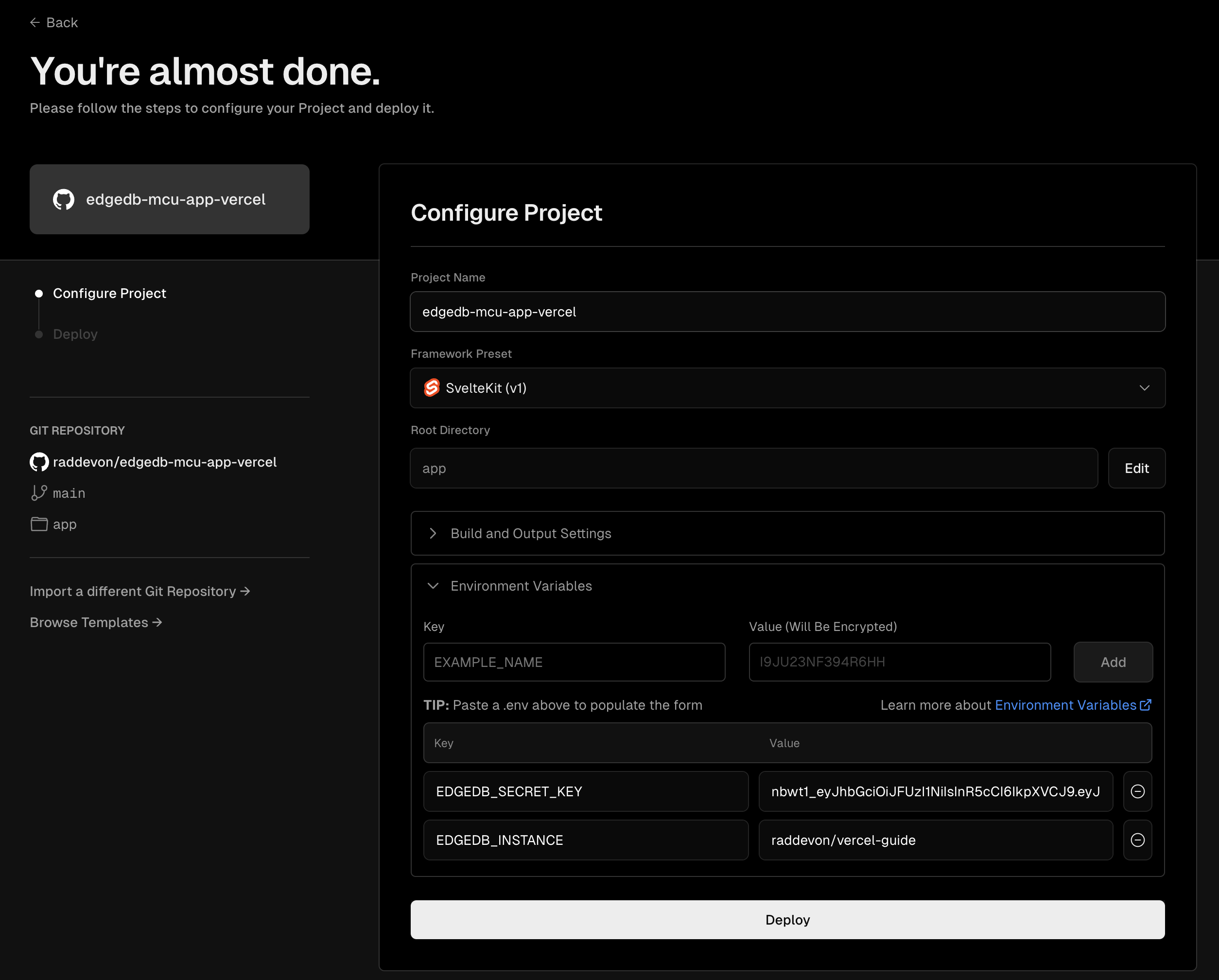
- In “Configure Project,” expand “Environment Variables”
- Set an
EDGEDB_INSTANCE environment variable with the name of your cloud instance (in <org>/<instance-name> format)
- Set an
EDGEDB_SECRET_KEY environment variable with the secret key you created and noted previously.
- Click Deploy
Key
nbwt1_eyJhbGciOiJFUzI1NiIsInR5cCI6IkpXVCJ9.eyJlZGIuZC5hbGwiOnRydWUsImVkYi5pIjpbInJhZGRldm9uL3ZlcmNlbC1ndWlkZSJdLCJlZGIuci5hbGwiOnRydWUsImlhdCI6MTcwNjc5Nzc3MywiaXNzIjoiYXdzLmVkZ2VkYi5jbG91ZCIsImp0aSI6IlVXbTVsTUVPRWU2X2w3dXl2bERERnciLCJzdWIiOiJkd2JaNHZwWkVlMnVldy11VFc2UE9BIn0.1jpOxZBg7a2lRF1ihdy3I7DdoLEjWDvJWQlDnGPkaMX4ubejeVe2jNEYumu5oAjZkOmhEAsup1f4ckw3sePaEw