- Building a templatized system to allow Apple to build out these pages
- Photos are not final
- Client is not expecting the site to look like this
- Style is established but content not established
- Need to build home page, leaf page, and focus area page templates
- Comps are on Sharepoint for project
- Text in content dev > course materials
Home
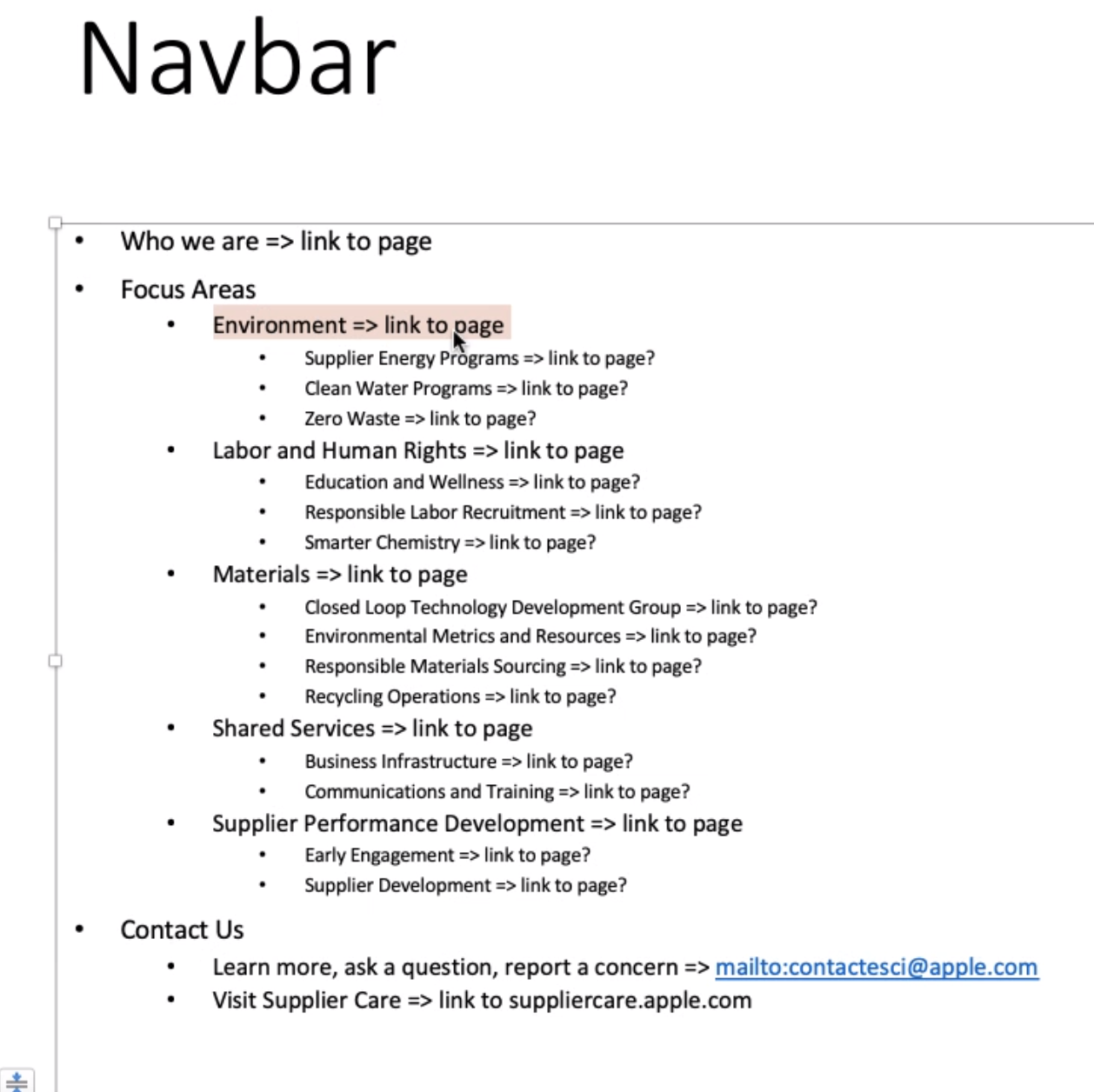
- Three nav items and search
- Mirror design of public Apple site
- Search flies across like on the public Apple site
- No “Quick Links” suggestions like on the public site
- Focus Areas dropdown with headings and links to sub-divide dropdown
- Headings are also linked
- No comp yet for Focus Area heading page
- Color-graded trailer as hero on home page
- inspired by apple.com/tv
- “Watch Now” overlay button pops up full video
- Play/pause button on trailer
- May have an icon font for play and pause symbols
- Scot will investigate
- Two linked tiles under hero
- Tiles point to existing resources. We don’t need to build those pages.
- On hover, text area of tile expands up, covering more of the image to reveal a sentence or two.
- Programmatic animation on podcast strip
- Should work with any text in that area
- Elements come up and fade on scroll, like apple.com/supplier-responsibility
- Use library from VRC?
- Announcement tiles with left/right buttons for more
- Might use tile scrolling thing from SFTF/VRC
- Reveal more text on hover like linked tiles under hero
- Can have 0, 2, or 2+ tiles
- Link to existing resources
- Any stripe can be hidden if not in use
- Fat footer
Leaf
- White menu with labeled icons are on focus area and leaf pages (not home)
- Not clickable, just informational (breadcrumb)
- Two-column text with heading
- State tile row
- Process flow card and stripe
- 17 of these
Focus Area
- No comp left for this
- Paragraph of content and links to sub-programs
Navigation
Mobile
- Mirror apple.com for mobile navigation
- Collapse focus area?
Todo
By end of week next week ([2020-10-01]).